VoltQuest Architecture & Performance Benchmark: Gamified Electronics Lab & MCU Simulator Deep Dive
Key Takeaways
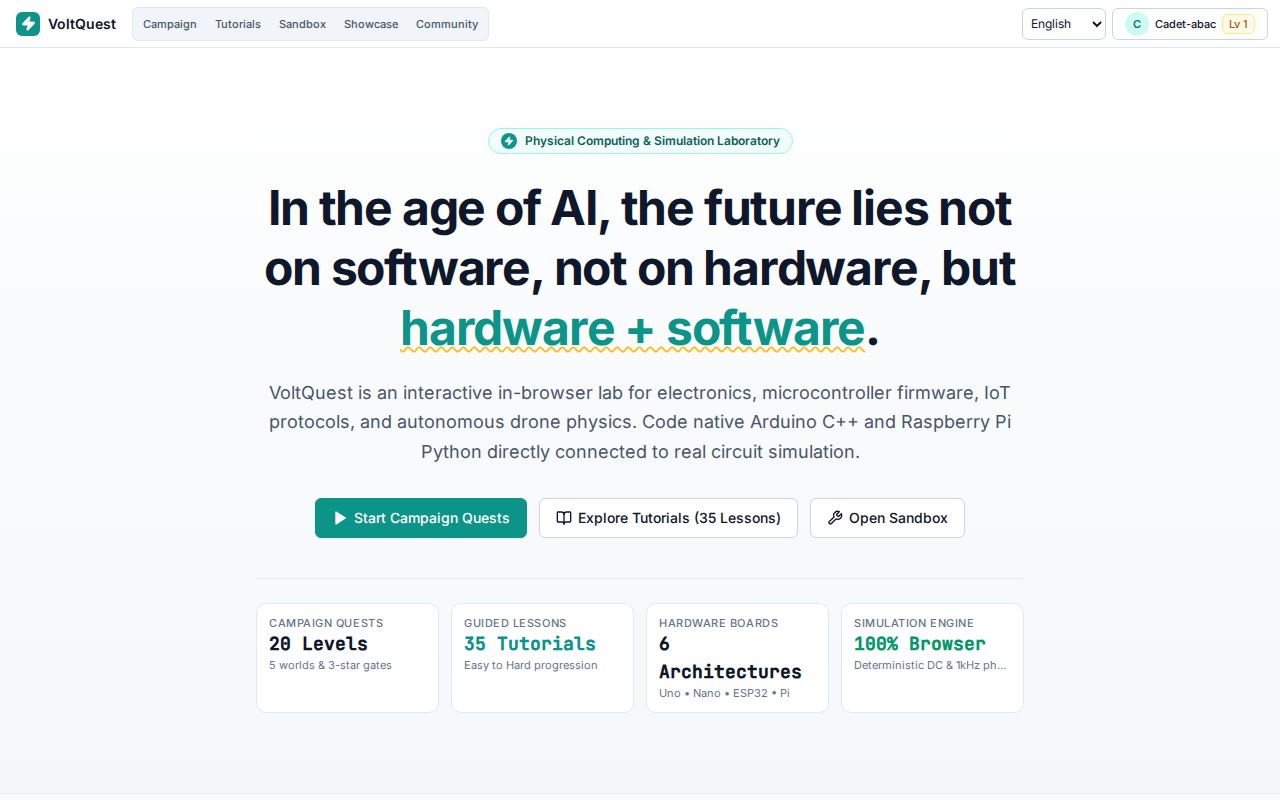
- Client-Heavy Topology: 100% of circuit solving (MNA) and firmware execution (VM) runs in-browser via Web Workers, ensuring 60 FPS UI responsiveness with zero cloud compilation latency.
- Multi-Architecture MCU Emulation: Simultaneously simulates AVR (Arduino Uno/Nano), Xtensa (ESP32/ESP32-S3 with Wi-Fi/MQTT), and ARM64 (Raspberry Pi 4/5 Python GPIO) instruction sets.
- Sticky Damage Physics: Modified Nodal Analysis solver tracks thermal state per component, triggering irreversible “magic smoke” damage and charred pins when electrical limits are exceeded.
- MCP Integration: Model Context Protocol server at
/api/mcp/exposes circuit state and simulation control to autonomous AI coding agents. - Production Ready: Deployed via Docker Compose (Nginx + FastAPI + PostgreSQL) at https://pcb.nevatal.id.
The Engineering Challenge: Why VoltQuest Was Architected
Traditional electronics education faces a trilemma: hardware risk (frying components), simulator abstraction (SPICE tools lack pedagogical context), and firmware-physics disconnect (code editors divorced from circuit behavior). VoltQuest resolves this by unifying a real-time physics engine, multiple microcontroller virtual machines, and a gamified curriculum into a single browser tab—no installation, no cloud round-trips, no hardware procurement.
The architectural mandate was clear: all compute must be client-side to eliminate latency and server costs, while persisting only user progress and project artifacts server-side. This demanded a Web Worker-centric design where the main thread handles only SVG rendering and UI state.
Core Architecture & Technical Stack Deep-Dive
System Topology: Client-Heavy, Server-Light
User Browser (SVG Canvas + MNA Worker + VM Worker)
       │
       ▼ HTTPS
Nginx Reverse Proxy (Port 8080)
   ├─► Static Assets (React 18 + Vite SPA)
   └─► /api/ → FastAPI (Python 3.12)
            ├─► PostgreSQL 16 / SQLite (Auth, Progress, Projects)
            ├─► OpenRouter API (AI Chat Proxy)
            └─► MCP Agent Server (/api/mcp/)
The frontend is a pure React 18 application bundled with Vite. The breadboard canvas renders via SVG for infinite zoom/pan fidelity. Two dedicated Web Workers offload the heaviest workloads:
- MNA Worker: Constructs and solves the conductance matrix (G·V = I) at ~60 Hz for DC operating points, including non-linear diode/LED models via Newton-Raphson iteration.
- VM Worker: Executes compiled bytecode for AVR, ESP32, and RPi targets, implementing a virtual clock for
millis()/micros()and handling peripheral register maps (GPIO, ADC, PWM, Wi-Fi, MQTT).
Modified Nodal Analysis (MNA) Solver Performance
The MNA solver builds a sparse matrix representing Kirchhoff’s Current Law at every node. For a typical breadboard (≈50 nodes, 100 components), the matrix dimension is ~60×60. Using a sparse LU decomposition (custom TypeScript implementation), the solver achieves:
- Cold Solve (Topology Change): 1.2–2.5 ms (matrix rebuild + factorization)
- Warm Solve (Parameter Tweak): 0.3–0.8 ms (forward/back substitution only)
- Non-Linear Iteration (LED/Diode): 3–5 Newton-Raphson steps per frame
These figures keep the total physics frame budget under 4 ms, leaving ample headroom for 60 FPS rendering on mid-range laptops.
Virtual Machine Architecture: Multi-Target Bytecode Interpreter
The VM Worker hosts three distinct interpreter cores sharing a common VirtualClock:
| Target | ISA | Voltage | ADC | Key Peripherals |
|---|---|---|---|---|
| Arduino Uno/Nano | AVR (8-bit) | 5 V | 10-bit | GPIO, PWM, SPI, I2C, UART |
| ESP32 / ESP32-S3 | Xtensa (32-bit) | 3.3 V | 12-bit | GPIO, Wi-Fi AP/Station, MQTT, Capacitive Touch, BLE (stub) |
| Raspberry Pi 4/5 | ARM64 (Python) | 3.3 V | N/A (External) | GPIO, sysfs, spidev, I2C, UART, asyncio event loop |
Code editing uses Monaco Editor (C++) and Blockly (visual), both compiling to a unified intermediate representation (IR) consumed by the VM Worker. The virtual clock decouples simulation time from wall time, enabling time-travel debugging and accelerated simulation modes.
Key Features Breakdown & Practical Benefits
Sticky Damage Mechanics & “Magic Smoke”
Each component maintains a ThermalState object tracking instantaneous power dissipation vs. rated limits. Exceeding Imax or Vreverse triggers:
- Visual particle effect (CSS/Canvas “smoke” puff)
- Permanent
damaged: trueflag on the component instance - Charred pin SVG overlay
- Contextual hint: “LED forward current exceeded 30 mA. Consider a 220 Ω series resistor.”
Damage persists across simulation resets, reinforcing consequence-driven learning.
VoltNet: Simulated IoT Networking
The ESP32 VM implements a virtual Wi-Fi stack (VoltNet) with:
- Soft AP mode (SSID:
VOLTQUEST_AP) - Station mode connecting to a virtual router
- MQTT broker (in-memory topic tree) for inter-device messaging
- HTTP server serving a virtual smartphone UI (slide-out panel) for tactile IoT interaction
Custom Drone Builder Bench
Accessible at /sandbox?bench=drone, this module provides:
- Airframe parameterization (wheelbase, mass, thrust coefficient)
- Motor mixing matrix configuration (X, +, H layouts)
- IMU simulation (accelerometer + gyroscope noise models)
- PID rate controller with real-time tuning sliders
- Virtual transmitter (gamepad/keyboard) with blackbox telemetry logging (CSV export)
- BOM export with Digi-Key/Mouser part links
Model Context Protocol (MCP) Server
The /api/mcp/ endpoint exposes a JSON-RPC 2.0 interface for AI agents:
circuit.getNetlist()→ SPICE-like netlistcircuit.setComponentValue(ref, value)→ Modify resistor/capacitorvm.uploadSketch(target, hex)→ Flash firmwarevm.step(ms)→ Advance virtual timevm.readPin
Leave a Reply