The AI landscape is fragmented and expensive. To access the best models—Claude 3.5 Sonnet, GPT-4o, Gemini 1.5 Pro, Llama 3.1—developers are forced to juggle multiple browser tabs, manage separate API billing accounts, or subscribe to walled-garden wrappers like TypingMind ($39–$79 one-time + BYOK), Poe ($20/month), or ChatGPT Plus ($20/month). These tools lock features behind paywalls, meter your usage, and store your conversation history on their servers.
✅ Key Takeaways: Why Chattydesk Wins
- 100% Free Forever: No subscriptions, no credit card, no feature gating.
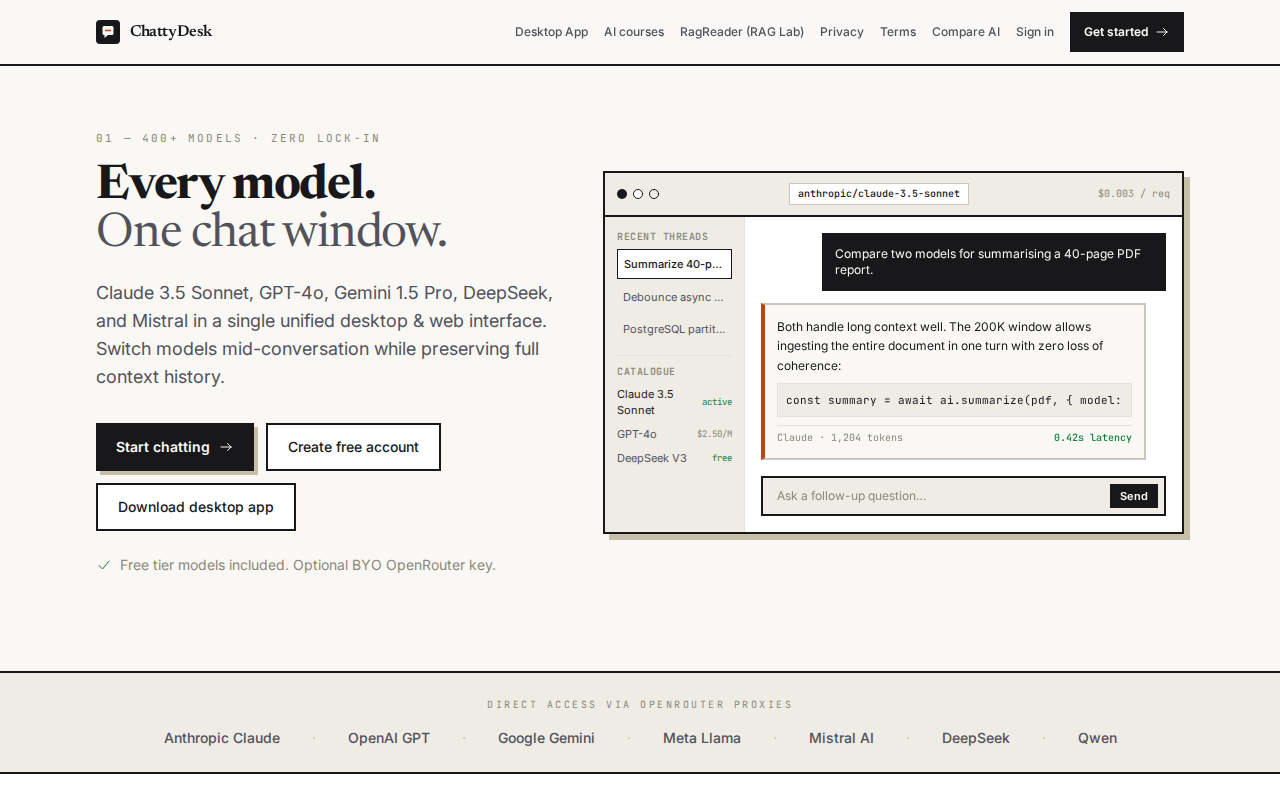
- 400+ Models Unified: Single interface for OpenRouter’s entire catalog (Claude, GPT, Gemini, Llama, Mistral).
- True Data Ownership: Self-hostable backend (Django/PostgreSQL) or use the live instance; your keys, your history.
- Advanced Workflows Free: Mid-conversation model switching, side-by-side Compare AI arena, custom context windows.
- Cross-Platform Native: Installable Electron app (Win/macOS/Linux) + Static Web PWA from one codebase.
The Problem with Popular Commercial Tools: Expensive Subscriptions & Paywalls
Commercial AI chat clients have standardized a “rent-seeking” model where you pay recurring fees for the privilege of a UI wrapper.
| Tool | Cost Model | Key Restrictions |
|---|---|---|
| TypingMind | $39–$79 (one-time) + BYOK | Self-hosting requires Docker/technical lift; cloud sync is paid; no native desktop auto-updater. |
| Poe | $20/month | Hard message caps per model; no custom API keys; vendor lock-in; history trapped on Quora servers. |
| ChatGPT Plus | $20/month | Single provider (OpenAI only); no model comparison; rate limits; training data opt-out buried in settings. |
Annualized, these tools cost $240–$800+ per year per seat. For a team of five, that’s a five-figure line item just for chat interfaces—before API token costs.
Introducing Chattydesk: A Production-Grade Free Alternative
Chattydesk was built to solve the “model juggling” problem without the SaaS tax. It is a Universal OpenRouter chat client that aggregates 400+ frontier and open-source models behind a single, polished interface. Because it connects directly to OpenRouter’s unified API, you get instant access to every new model release (Claude, GPT, Gemini, Llama, Mistral, Command R, etc.) without waiting for a vendor to update their integration.
Architected as a React/Vite single-page application with dual compilation targets, Chattydesk delivers identical UX whether you run it as a cross-platform Electron AI desktop app (Windows, macOS, Linux) or a static web app deployed to Vercel, Netlify, or Docker. The desktop build uses hash-based routing for file-protocol compatibility; the web build uses HTML5 history mode for SEO.
Head-to-Head Comparison: Chattydesk vs. Paid Commercial Tools
| Capability | Chattydesk (Free) | TypingMind ($39–$79) | Poe ($20/mo) | ChatGPT Plus ($20/mo) |
|---|---|---|---|---|
| Pricing | $0 / 100% Free | $39–$79 + BYOK | $240/yr | $240/yr |
| Model Coverage | 400+ via OpenRouter | OpenRouter / Direct APIs | Curated subset only | OpenAI models only |
| Custom API Key Override | Yes (Per-user settings) | Yes (Core feature) | No | No |
| Mid-Conversation Model Switch | Yes (Preserves history) | Yes | No (New chat required) | No |
| Side-by-Side Compare (Arena) | 2–4 Models Simultaneously | Limited/Pro | No | No |
| Desktop Native App | Electron (Win/Mac/Linux) | Web / PWA only | Web / Mobile only | Web / Mobile only |
| Data Privacy / Ownership | Self-hostable / Local-first | Cloud sync paid | Vendor servers | OpenAI servers |
| Token Usage & Cost Visibility | Real-time in chat UI | Yes | Opaque credits | Hidden |
| Free Model Failover | Automatic shuffled failover | Manual | No | No |
| Agent Discovery Endpoints | /.well-known/ard.json, /poppy.json, /llms.txt | No | No | No |
Core Features You Get Completely Free
1. Unified 400+ Model Access via OpenRouter
One API endpoint, one interface, 400+ models. Chattydesk acts as a smart proxy to OpenRouter, normalizing streaming responses, tool calls, and error handling across wildly different model architectures. You select the model from a searchable dropdown; the client handles the rest.
Leave a Reply